
01, July 2020
What You Need to Build Your First Gaming PC
The vast majority of people are completely satisfied with purchasing computers that are fully assembled and ready to use from the start. In contrast, many gamers choose to construct their own customized computers so that they can ensure that each component works at the strength and speed they want and that all the specifications for their games are met and even exceeded. This is how a gamer can play without fear of experiencing performance-hindering lag and other issues while also running the game at its full graphical capacity and with the highest framerates. After noticing some annoyances that prevent you from enjoying the games you want to play, you may decide to build your own computer. Here is a list of what you need to build your first gaming PC.
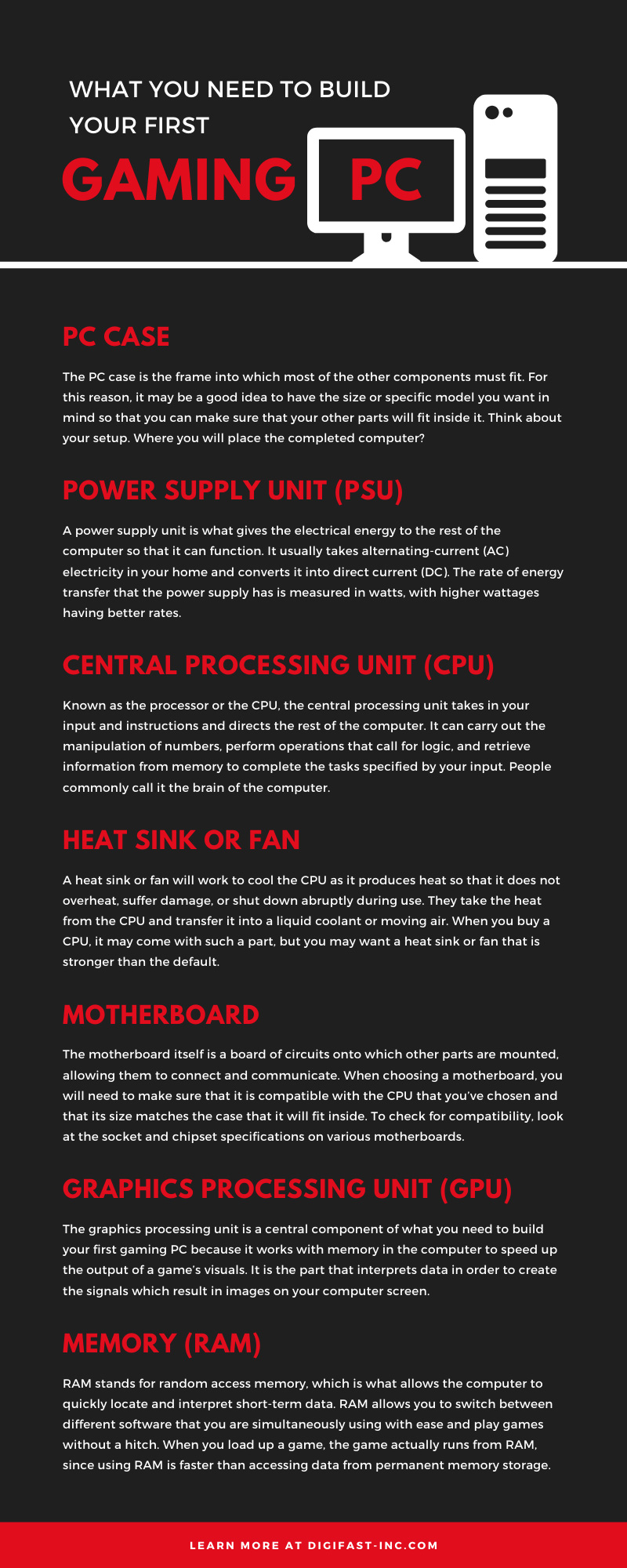
PC Case
The PC case is the frame into which most of the other components must fit. For this reason, it may be a good idea to have the size or specific model you want in mind so that you can make sure that your other parts will fit inside it. Think about your setup. Where you will place the completed computer? Maybe you don’t want it to take up a lot of space because you’re going to put it on top of your desk. On the other hand, you might want to put it on the floor underneath the desk where there is a lot of space. In that situation, you may be fine with a larger PC case.
Although there isn’t a universal case size standard, you can generally find cases that are categorized as mini-tower, mid-tower, and full-tower. These distinctions are based on what size of motherboard will fit inside them. A mid-tower will allow for standard-sized motherboards, while a mini-tower will fit miniature motherboards, and a full-tower will fit extra-large motherboards.
Power Supply Unit (PSU)
A power supply unit is what gives the electrical energy to the rest of the computer so that it can function. It usually takes alternating-current (AC) electricity in your home and converts it into direct current (DC). The rate of energy transfer that the power supply has is measured in watts, with higher wattages having better rates. Your computer will have a certain threshold of wattage that it needs to run, so you’ll need to know what the correct wattage is when choosing a PSU. You can find the watts your setup requires by multiplying the total amps by the total volts of all your computer parts.
Efficiency is another factor to take note of when it comes to the PSU. A more efficient unit will eat up less electricity and generate less heat while still supplying the same amount of power as an equivalent model that is less efficient.
Central Processing Unit (CPU)
Known as the processor or the CPU, the central processing unit takes in your input and instructions and directs the rest of the computer. It can carry out the manipulation of numbers, perform operations that call for logic, and retrieve information from memory to complete the tasks specified by your input. People commonly call it the brain of the computer. Naturally, it has a lot of influence on how well your computer will function, so you should do some in-depth research into what type of CPU other gamers typically recommend. With so many different CPU models and manufacturers out there, doing thorough research on the right CPU will help you sift through the mass of options to find the right one for you.
Heat Sink or Fan
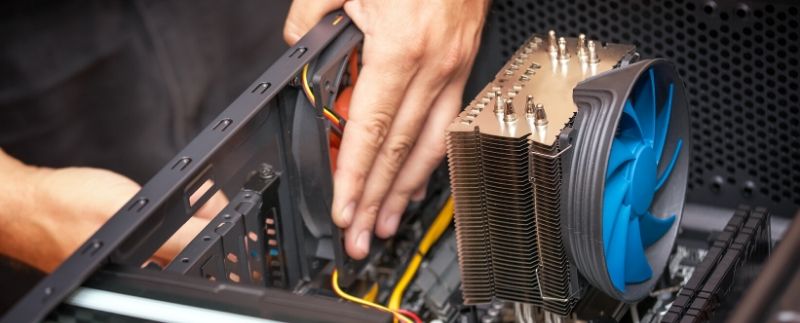
A heat sink or fan will work to cool the CPU as it produces heat so that it does not overheat, suffer damage, or shut down abruptly during use. They take the heat from the CPU and transfer it into a liquid coolant or moving air. When you buy a CPU, it may come with such a part, but you may want a heat sink or fan that is stronger than the default. You should find one that fits with your CPU and your motherboard, as the motherboard is where you will attach the heat sink or fan with an adhesive.
Motherboard
The motherboard itself is a board of circuits onto which other parts are mounted, allowing them to connect and communicate. When choosing a motherboard, you will need to make sure that it is compatible with the CPU that you’ve chosen and that its size matches the case that it will fit inside. To check for compatibility, look at the socket and chipset specifications on various motherboards. The socket is where the CPU will plug into the motherboard and the chipset is the part that allows for communication from the CPU to the rest of the computer. If either of these does not match your CPU, you won’t be able to connect them to the motherboard.
Graphics Processing Unit (GPU)
The graphics processing unit is a central component of what you need to build your first gaming PC because it works with memory in the computer to speed up the output of a game’s visuals. It is the part that interprets data in order to create the signals which result in images on your computer screen. The better the GPU, the better your game can look without the computer struggling to keep up or slowing down your gameplay. As you look for a GPU, you’ll need to search through different types of graphics cards. A graphics card is the full computer hardware part that holds the GPUs and allows it to perform its duty. The terms GPU and graphics card may sometimes be used interchangeably in common speech.
Memory (RAM)
RAM stands for random access memory, which is what allows the computer to quickly locate and interpret short-term data. RAM allows you to switch between different software that you are simultaneously using with ease and play games without a hitch. When you load up a game, the game actually runs from RAM, since using RAM is faster than accessing data from permanent memory storage. Your game’s loading speed and your computer’s ability to respond to your commands in the game are quicker with more RAM, since higher RAM allows your computer to have quicker read and write speeds. Having around 16GB of RAM is the standard amount for a customized setup among many gamers.
Storage (SSD/HDD)
As opposed to RAM, storage is the long-term memory of your computer. While RAM loses all its information once the computer shuts off, your storage unit keeps information that you want to permanently save. You can choose between two major categories here: hard disk drives (HDDs) and solid-state drives (SSDs). Most gamers usually prefer SSDs because they can retrieve stored information faster, are less prone to breaking, and do not produce as much noise. All this is owed to the fact that they don’t have multiple moving components like HDDs do. Some people use a combination of an SSD and HDD since HDDs are often more budget friendly. You can also store larger files that you don’t frequently use on a larger HDD that is cheaper than an equivalent SSD.
If you’re building a gaming PC and need high-quality, high-performing components, visit the Digifast website. We offer NVMe SSDs, computer system cooling parts, and a variety of peripherals and accessories to help you create your ideal computer.
About DIGIFAST
DIGIFAST is a professional gaming equipment brand based in California, USA, and has been providing technological innovations and custom solutions for over 20 years. Through intelligent research and professional production capacity, we deepen the 3C, esports, and IT markets. We focus on developing high-quality and long-life products and provide consumers with personal storage devices, game peripherals, and bold innovative 3C technology products. The brand has been recognized by the industry and has pushed quality standards to become a trusted brand in the 3C technology and esports industry.
Official website: https://www.digifast-inc.com