
OCT, 6 2020
How Solid State Drives Save Data
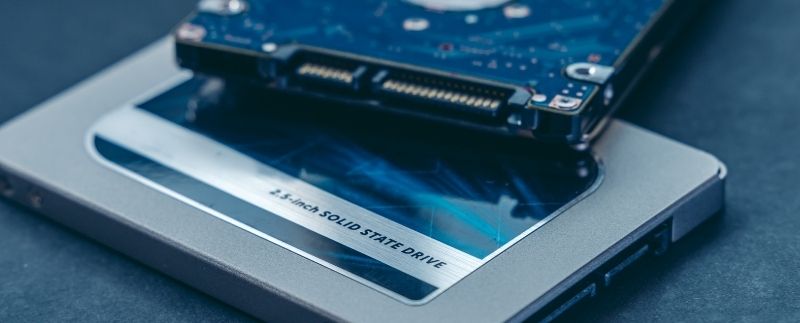
Solid state drives, or SSDs, are useful for holding data in your computer that you won’t lose when you turn off your computer, as they are a form of non-volatile memory. We examine how solid state drives save data in this post.
The Physical SSD Arrangement
At the smallest level, SSDs are comprised of units called cells. Each cell has two overlapping transistors known as the control gate and the floating gate. Cells are organized in a larger grid pattern within the SSD. Pages are the next level of arrangement, with every page made up of multiple cells. Several pages then come together to make a block—in one SSD, there are many blocks. It is important to know these distinctions because an SSD can only save data at the block level. Even if you want to make a change to data that is held within a single page, the SSD needs to erase the whole block and rewrite everything. All other parts of the block will be the same as before, save for that one page with an update.
The Process of Storing Data
SSDs function based on NAND flash memory, which as stated, uses transistors called cells to store data that remains even after the computer shuts down. They read data by looking at the pattern of cells that exist as either 1s or 0s. SSDs begin with cells that are all set to the number 1. At this point, an electrical current can freely flow through the cells. When you want to save information in your SSD, it will run the current in a specific sequence to change certain cells into 0s. The current moves electrons from the control gate to the floating gate transistor in some cells, and once this process is complete, the current can no longer flow through them. This is what distinguishes these cells as 0s.
NAND Types
There are also different NAND types you should be aware of. They are distinguished by how many bits (either the 1 or 0 digits) there are in each cell. In the above explanation, we assumed that a cell contained only one bit, but some NAND memory devices have cells that contain two or three bits per cell. They are called multi-level cell (MLC) NAND and triple-level cell (TLC) NAND, respectively. NAND with one bit by cell is single-level cell (SLC) NAND. Quad-level cell (QLC) NAND also exists but is less common in SSDs. The more bits per cell there are, the longer it takes for the SSD to read, write, and erase data, meaning that saving information overall will proceed slower. Due to this, SSDs with TLC NAND are generally more affordable while those with SLC NAND are more expensive. SLC SSDs are also usually unavailable to the public at the same memory capacities as you may find with TLC SSDs.
If you want to make SSDs part of your computer after understanding how solid state drives save data, you should visit the Digifast website or contact us today. We provide NVMe solid state drives that will boost your computer’s performance, whether it is a laptop or desktop.
About DIGIFAST
DIGIFAST is a professional gaming equipment brand based in California, USA, and has been providing technological innovations and custom solutions for over 20 years. Through intelligent research and professional production capacity, we deepen the 3C, esports, and IT markets. We focus on developing high-quality and long-life products and provide consumers with personal storage devices, game peripherals, and bold innovative 3C technology products. The brand has been recognized by the industry and has pushed quality standards to become a trusted brand in the 3C technology and esports industry.
Official website: https://www.digifast-inc.com